Live status-bar bandwidth monitor with per-app usage and CSV export
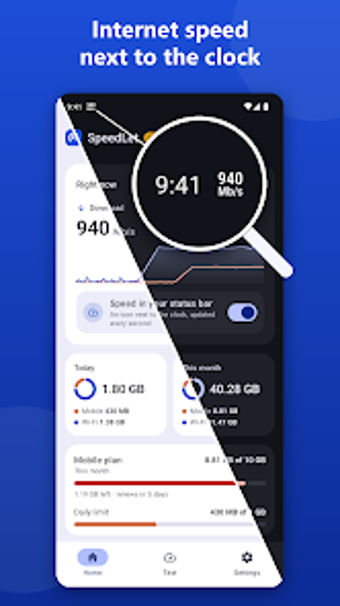
Displays live upload and download speeds in the Android status bar, keeping bandwidth visible every second while you use other apps. SpeedLet: Internet Speed Meter, developed by LuShe, combines a persistent speed indicator with data usage logs and a built-in diagnostic suite. It shows Wi‑Fi and mobile consumption separately, offers per-app usage breakdowns, and includes a ping tool. The app suits mobile users who need constant visibility into connection quality or want device-level data accounting while on limited plans.
What the app measures and how it presents results
SpeedLet samples network throughput each second and shows real-time download and upload values in the status bar, keeping numbers next to the system clock without switching screens. The app also records daily and monthly totals for Wi‑Fi and mobile separately, lists data usage by application, and writes logs that you can export in CSV format for external analysis.
How it affects device resources while running
Designed to be lightweight, the tool runs continuously in the background to feed the status-bar indicator while minimizing battery and memory use, according to its description of a light footprint. Continuous sampling updates every second, so background CPU and RAM activity is present but kept low by the app's described design focus on efficiency.
Is it safe and suitable for troubleshooting
SpeedLet provides diagnostic metrics
Practical monitoring tool for mobile users who track connectivity
SpeedLet performs the core task of making live bandwidth visible without interrupting workflows, and its logging plus ping diagnostics suit users who need to verify connection stability over time. For troubleshooting, collect CSV logs and run tests during representative activity periods to compare results. Recommended.